
MapTiler Server 4.8 Webinar
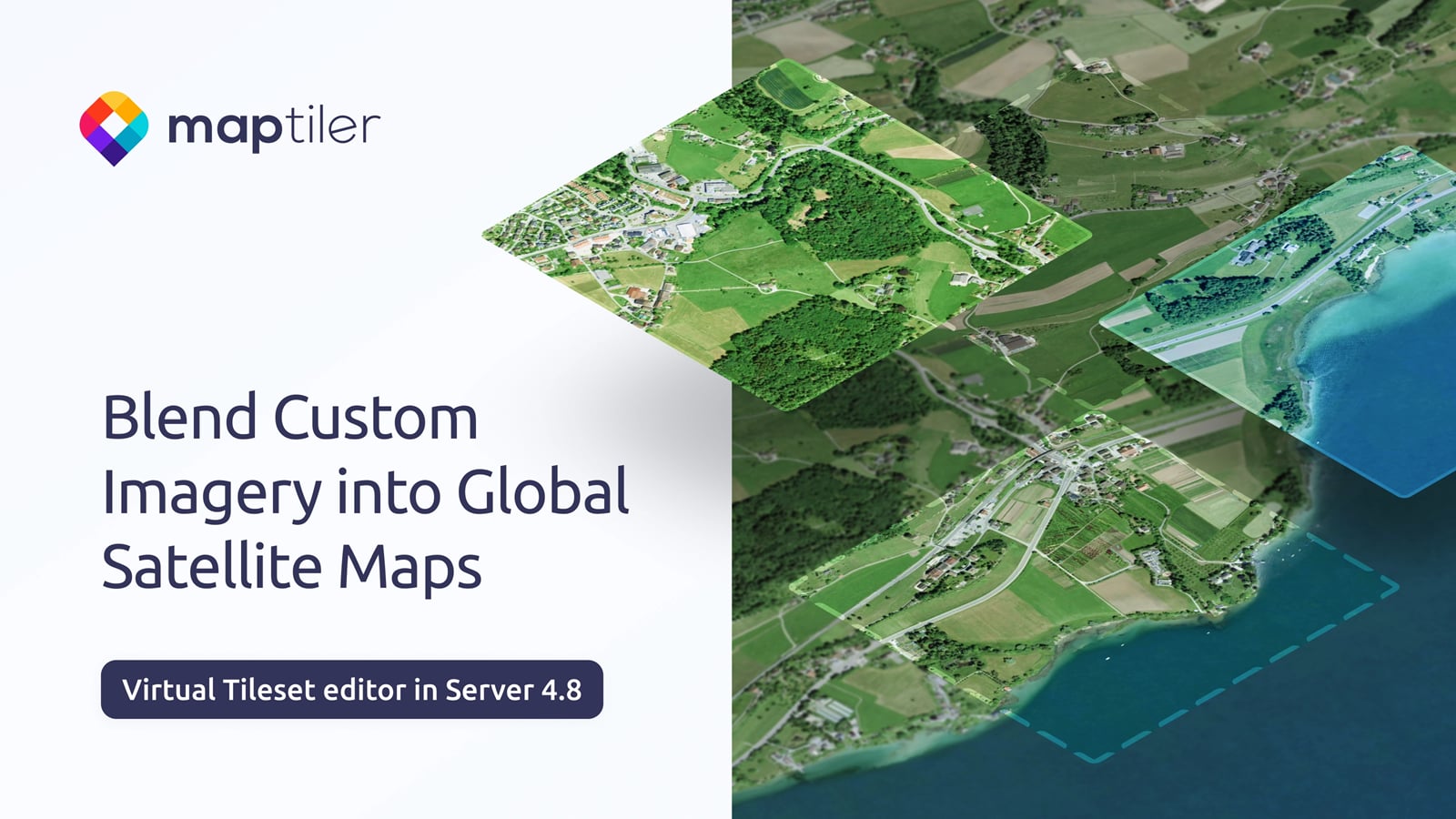
Watch the launch webinar below to see how you can blend your own imagery into global satellite maps.
MapTiler Server 4.8 launch webinar transcript
00:00:31
Tom Armitage: Hello and welcome to this webinar on MapTiler Server 4.8. As you can see from the title on the screen here, our big feature that we are talking about today is the virtual tile sets editor that we've got going. So, let me just do some quick introductions. So today, as you can see, we have me. I'm Tom Armitage. I'm your host and the senior technical writer here at MapTiler. We'll also be hearing from Jakub, the product manager for MapTiler's on-premises offering. We have Jaroslav here, who is the product manager for MapTiler Engine and GeoSplats, and also Guy from the business development team.
00:03:13
Tom Armitage: So what are we going to be talking about today? So Jakob's going to introduce the software and what's new and improved with server 4.8. As I've mentioned already, the virtual tile set editor is the key thing here. Jaroslav will also explain how MapTiler Engine fits into the on-prem ecosystem. creating tile sets and this sort of thing. So we'll see how that fits together. And Guy is going to explain how you can take advantage of the new developments and the whole ecosystem as as a single thing entity and go through a few use cases to perhaps give you some ideas of the full potential of of what's happening. And towards the end there we'll also cover some of the future developments for both server and engine. we're also throughout this we're going to be gathering questions from you. So, hopefully you can see in the bottom right corner this chat icon down here somewhere, and if you click on that, you'll open up the chat window.
00:04:19
Tom Armitage: So, as we're going through the webinar, you can keep asking questions. I'll collect them all and then at the end, we'll go through and we'll ask those questions to the relevant people. So, I think that is all the housekeeping. Hopefully everything's clear, and you understand all of that. So let's get started with Jakub telling us about MapTiler's on-premises offering.
Jakub Bican: Okay. Thank you. Thank you. I hope everyone can hear me well. Thank you, Tom, for the introductions. Now we go to the real content, and I hope that we will fit the whole webinar within 30 minutes. So it should be smooth and informational, and yeah, I hope you enjoy it. So, MapTiler On-prem, actually, you can't find this term really on our website. It's something that we are developing over the past year, let's say, reshaping the whole portfolio in this area, and why we have MapTiler on-prem.
00:05:31
Jakub Bican: You may know map for like great online maps and great tools to integrate maps into web applications, mobile applications and simply the online world. But there are situations that can't wait for the internet connection. and you still need great maps in those situations like traffic control centers or defense devices or independent vehicles. All those need great maps and can't rely on the online services and of course there are organizations and use cases where data sovereignity and control over the security is the key feature of the mapping systems and that's why there is a map onrem or map onrem maps that's why those exist it's a natural part of the whole map portfolio and It takes important pieces and components from the Macd ecosystem and brings it to customer premises. It consists of several components. One of them is the software that enables you to host and serve data on your own infrastructure or on any device. Then, of course, the data packages that are up to date and are simply content of the maps, the styles, and the other components, and of course, the premium support and customer support that helps our customers to deploy and operate the whole solution.
00:07:23
Jakub Bican: Yeah, and this offering is kind of unique because we bundle all components under one business offering on or under one package, and we enable anyone to deploy these premium maps and solutions on their infrastructure and integrated into their pipelines and their solutions. And two days ago, we have technically released a new version of the software, a new version of the MapTiler Server, which is 4.8. So what's new in this release? There are two main features. The first of them is the installer for Mac OS platforms, both x64 and ARM 64. Previously, you had to do some extra steps, which were well described in our documentation, but now we have unified the user and developer experience with the standards on this platform. So you have this drag-and-drop install experience. You just download the DMG bundle and drag it into applications and then you have the launcher icon installed, and this launcher icon behaves intelligently. In any case, like even if you just run the server one time, and for example, develop against it, or if you have it serviceified and running as a permanent service the intelligent launcher always opens the right URL for server administration.
00:09:21
Jakub Bican: The second major feature is virtual tile set editor which has been mentioned already, and it's something that we would like to dig deeper during this webinar. Virtual tile set editor enables users and administrators of Nile server to merge multiple tile sets. You can merge multiple raster tile sets and or you can merge multiple vector tile sets. It's not possible to combine vectors and raster. We can explain this later. But you can merge them and you can do some adjustments that makes this merging look great like adjustments of the colors or adjustments of the opacity. Actually, virtual tile sets were supported before in the server but you had to edit manually some JSON definition files which wasn't very user-friendly. Now we have nice user interface based on the our web map customization tool controls and experience and you have this interface that can help you to easily configure the virtual tile set in in a couple of minutes. you will see the video of a real sample later.
00:10:55
Jakub Bican: So why would you do that? For what purpose it is built? For example the major use case is that you get the global maps from us like for example the global medium res satellite imagery in our standard onrem package and for example you have your own local imagery or from local government or local imagery that you take with your own drone or you just have your own data. It's local, it's up to date or it's secret. And what you can do now is that you can patch the global imagery with this local update in the virtual tile set editor. So you have still a backdrop map or a satellite map that is global but with local up-to-date and customized data. You can also do a very efficient updates of global imagery because you don't need to reprocess the whole tile set in order to have some local updates. You just can process and tile some local areas and patch those areas in the global tile set by few clicks.
00:12:34
Jakub Bican: And, by this way, you can easily blend multiple images from different sources into one. The benefit of this is why we added it to MapTiler Server, that it works seamlessly with all API endpoints, whether you consume the vector maps through OGC WMTS or raster tiles, or you rasterize vector maps. All those endpoints work seamlessly on top of those merged and blended tile sets. So let's look at how it works and how it looks. Log in to server administration. Create a new tile set. It's a little bit sped up to go quickly. You select tile sets from the tile sets that are already available in the server. Now we have already two, and right away we can do the color adjustments. So with sliders or editing the values manually, you can see that with a couple of adjustments, we can make the patch look like it fits in the backdrop imagery. Now we have added very local drone imagery, which looks kind of weird on top of the previous aerial imagery, and adjusting with the sliders.
00:14:30
Jakub Bican: You can see that it works and that in a minute, you have something that looks seamless. Now we have added a global low satellite imagery, and you still see that there are some edges in the location of the sample data. So we will improve the colors of the low-res global imagery so that there are no edges. And after you correct the colors, you can also adjust the opacity, which can be nonlinear through the zoom levels. And then when you zoom in, you simply can't recognize that something is switching between different tile sets. So zooming in from the global view to a very local view, you still see the same, let's say you have the same feeling from the imagery. Yeah, you can also adjust the opacity transformation locally. and then save the tile set. So it becomes a new tile set in the server repository, and you can review it as a full-screen map. Yeah, and that's it. Uh, it's very easy.
00:16:16
Jakub Bican: I'm not a map designer and I did this recording in like 5 minutes and I've been able to use it and and to to blend imagery that I just downloaded from our sites. Okay. So that is the major addition to the library how it works and now I will pass to Jaroslav, because the feature wouldn't be complete without having a tool that helps you to process your own imagery into something, into a tile set that would fit into this editor. So, Jaroslav, can you show us how people can just process their own data?
Jaroslav Polacek: Yeah, of course. Thank you. So, basically, if you have your own data, for example, drone imagery that you would like to use in the virtual tile set editor, the first step is to convert the data to map tiles. And MapTiler has a dedicated solution for this called MapTiler Engine, which is part of our on-prem ecosystem.
00:17:42
Jaroslav Polacek: MapTiler Engine is powered by our faster styling algorithm. It's the same algorithm and technology we use internally to generate hundreds of terabytes of global diode maps. So it's very well tested and it's it supports more than 100 raster and vector data formats and even data sets without location information which can be georeferenced directly using the built-in visual J referencing and you can automate the entire tailing workflow through the command line or use the desktop application. So I will show you now how you can use the desktop application. Yeah. So, creating map tiles is simple for everyone. All you need to do is to just drag and drop your data, select the output format, and start the process. Uh, and yeah, so yeah, and you can also create a queue of tasks that you can see here. And as you can see, this 500 megabyte tile set takes just 13 seconds to process. And you can handle much more than that, including tens of terabytes and much more data.
00:19:03
Jaroslav Polacek: So once it's processed and finished, you can view the output immediately and then use it in the virtual tile set editor. So now you know how to create map tiles from your raster and vector data. And I will pass the word back to Yakoup who will tell you more about the other server improvements.
Jakub Bican: Okay. Okay. Before doing that, maybe someone may ask if they can like build their own pipelines and automate the tasks using map engine to produce for example their own imagery updates seamlessly into a server. Is it possible to run engine as a service or some integrated into pipelines?
Jaroslav Polacek: Yeah, you can automate it through command line. So you can you can you can do it like this. So it's an automated way.
Jakub Bican: Okay.
Jaroslav Polacek: If you prefer just do it visually you can use the desktop application but both options are available for it depends on if you are GIS professional or developer you have both option available for you.
00:20:13
Jakub Bican: Yeah. Yeah. and CLI tools are now very friendly to AI agents. Also, we have the documentation, so it works well. Okay. So, that's all about the major addition to the new version, the virtual tile sets, and how to create them and how to use them in the new Server. But there are some more improvements in the new server release. The most important is the new version of geocoding because we are updating geocoding tools and modules for our online services gradually, and with every release of Server we include the latest geocoding features. So, with this, the most notable are the versions for the United States and Switzerland. So basically, you can check it by doing the reverse geocoding on the Gulf if it is the Gulf of Mexico or the Gulf of America, by switching the version.
00:21:31
Jakub Bican: There's a new API for that, and it's fully documented, and there has been made many many improvements into the search engine, like search for the address points, postal codes, the administrative districts, and many more. Also, some ranking optimization so the proper features are ranked higher than the minor ones, and so right in the Server. There are some more minor improvements and fixes, like behavior of the data uploads and multiple data uploads. improvement stability. So we fixed some bugs that forced Server to crash in some edge situations. Those were edge situations, but you know those bugs need to be fixed. And this release really contains many minor bug fixes, and our bug backlog is almost empty after the service. So many small improvements also, and this is all from introducing the new version, and I will ask Guy Stevenson to talk about more about how our customers are using on-prem and how you can get it.
00:23:04
Guy Stevenson: Thank you very much. Thank you Jakub. Thank you Jaro. So I just wanted to start off and just talk a little bit about perhaps the most common use case for the combination of MapTiler server and MapTiler engine. And this is what I like to call the continuous mapping loop. so basically it's it's the process whereby companies, organizations, customers like collect their own data either by drone, satellite, field imagery and then that raw data is essentially uploaded into MapTiler Engine for processing and then essentially processed into tiled maps which are then optimized and ready to serve and MapTiler Server can then serve them out to all the strategic end points. So, command centers for like defense scenarios, scatter for like more commercial scenarios, edge devices, local networks or even to private clouds. and then essentially the after that the the process can start again and it's really designed to help people have a a map that reflects the changing reality on the ground so you can collect your raw data georocess it and then serve it out to strategic endpoints and kind of keep doing that to to make sure that if things are changing on the ground you can have a map that reflects that.
00:24:36
Guy Stevenson: so that's probably what we hear most from our existing customers. So why companies are deploying maps on-premises. So as we all know the geopolitical landscape is really leading to increased regulations around data and security. And so self-hosting has become increasingly important and popular amongst all manner of organizations. And also organizations need to often quickly deploy mapping in areas of no to low connectivity. And then just wanted to cover who is already using MapTiler on-premises. We have a a long long list of organizations using it all over the world and all along the value chains of these different sectors from defense law enforcement, energy, utilities, aerospace, government and agriculture and I've put a few logos there but we do as I said we do have many many many organizations using maps on prem all over the all over the globe. And I wanted to also pull together some of the things that MapTiler Server customers kind of say or what they talk about.
00:26:00
Guy Stevenson: So, we sort of dived into some of the recent conversations we'd had to pull out some of the things that people are saying. So I'll just run through these. So, basically, you know, perhaps the first one is talking about flying and capturing data. and the fact that they just need it's on the map under the same style as the base map. and then also this idea of having you know multiple different data layers from different sourcing and this ability different sources, and this ability to host them under one server and one style. The other thing that people mentioned was the fact that analysts need S overlaid on the base map and blended by zoom and fully offline. And then also we come across a lot of people who've tried to build something themselves and that their, you know, perhaps their current raster stack has become very slow and cumbersome and just breaks. and then just replacing Geoserver DIY pipelines with something fast and stable. adds a lot of value.
00:27:08
Guy Stevenson: So yeah that's my piece. So thank you very much and I'll hand it back to the rest of the guys.
Jakub Bican: Yeah. the new server is released and the feature is out but and it's built based on a real demand from our customers as as guy has mentioned in in previous slide but if any of you resonate with these use cases or have your own use case. What we offer today is a one-to-one consultation about your data and just hit this link or or scan the QR code and fill in very short questionnaire and we reach out to you and we can help you to design a customized pipeline or workflow that will use this vector set editor on top of your data and specific use Please we will share this link to attendees even after after the webinar and it will be in the recording. Yeah. So, if it seems to fit your needs, fill in the questionnaire. That's the main call to action.
00:28:33
Jakub Bican: So this hasn't been the last release of Server. We are preparing many many new improvements and additions to the software. So what are the upcoming on-prem features? The first one will be in the virtual set editor itself. We add something we call like “I feel lucky” color adjustments, and it's a feature that estimates the color adjustments from the imagery itself. So it will match the the patch colors to to match the the underlying global imagery and to to like fit well into it blend blend well into the backdrop. So like auto feature. then we would like to like change the infrastructure of the product a little bit to enable deployment of something we call a Headless Server Core with full admin API. So you can integrate a server core into your device or into your ecosystem without having to set up something through UI because you then you can set up the thing through admin API using like B2B integration between the systems or using AI agents that call the APIs.
00:30:15
Jakub Bican: with this we get rid of some some older dependencies and and we would like to be compliant with the major security standards that are for example important for defense and for law enforcement and governmental organizations. yeah unbundling and refreshing admin UI that's corresponds to the headless core because once we have the headless core of the server we will have a separate admin UI that can for example then easily administer multiple instances of server running in your private cloud. and maybe the most wanted feature will come then and that is a download direct download of maps from the server because now you have to go to our web to something we call like data dashboard. you have to download the data and then re-upload it to your instance of the server. And this feature will enable you to download to just cue the download of the of the map directly in server and when it's downloaded, it starts to be served, and it also enables automated updates of the map that you use without a touch of human hand.
00:31:55
Jakub Bican: Yeah. And this is something for a later scope and roadmap. We would like to ease deployment of Server to edge devices, vehicles, and other stuff. So that you can produce bundles of the software and the data for specific devices on your side. Now you have to request a pre-activated binary, for example, for mass and you have to configure it with data and it involves several steps in your pipeline, manual or automated, but we would like to make this as simple as possible. Well, so that's something for the future, and there's also one more thing that is like on the edge of on-prem and online worlds, and it's again from Jaroslav. So there, tell us what's the hot news from your team.
Jaroslav Polacek: Okay, thank you, Kuba. Yeah, the hot news is called GeoSplats. So we are getting very close to releasing an exciting new technology from MapTiler called GeoSplats. It's the technology powered by Gaussian splatting and enables the creation of highly detailed, up-to-date photorealistic 3D maps from your data.
00:33:34
Jaroslav Polacek: it's typically from from drone oblique imagery. And what makes GeoSplats especially powerful is the innovative technology around it. Uh, it will have unique level of detail system, a built-in 3D editor for georeferencing 3D models, a new high performance web GPU SDK, native AI support, and incredibly realistic representation of the work in every detail. So it's these five things are say the key innovations as part of this new technology and most importantly it can smoothly render large scale 3D models on both desktop and mobile devices. So which is something that's very unique in the whole geospatial market. So large models is always an issue for mobile devices and we have the technology that can handle this and that can show the large scale models on your mobile phones. it will be available in our cloud platform first but if you see an on-prem use case for your organization please join beta through our website and we'll be more than happy to to to hear your use case and yeah and now enjoy a short video showcasing geosplat because it's image is nice but you must see it in in in action in at least in in a video to see what the innovation and this technology needs.
00:35:16
Jaroslav Polacek: So I will show you all now, yeah. So, hope you like it, and we will I will pass the word to Tom. Thank you.
Tom Armitage: Thank you very much. Yes, so onto the Q&A. We're a little bit over time, but everyone's still here. So, thank you very much for sticking around. I'd like to invite you to ask any questions that you want. I'm just going to pop a message into the chat. So if you want to add your own questions, please do. We have had a couple that have come in that I can just go through while we wait for anyone else to send in their own questions. But so one person was interested in something that you mentioned at the beginning, I think Jakub about potentially combining vector and raster data in some sort of way
00:37:13
Jakub Bican: You can combine vector and rest data in a map style. It's not possible to do it in a in a like virtual tile set because tile set is something that's the raw data and on top of tile set you build a map using a style and the virtual tile set is just combination of multiple tile sets and without having a vector style you can combine vectors with raster on on a tile set level, but you can combine it on a map style and map definition level in our map editor.
Tom Armitage: Brilliant. Thank you very much. I hope that answers the question for the person that asked. Another one here. When will the I feel lucky color adjustments be available?
Jakub Bican: It seems like a commitment. Yeah, the next release shall be fine, like in a couple of months.
Tom Armitage: Okay, fantastic. That's good to know. Now, a question from the audience there from Mark.
00:38:29
Tom Armitage: Other than Mac OS, are there any other operating systems or containerized environments?
Jakub Bican: Yes. Yes. many the all the major platforms like Windows, Linux, both Linux on Intel platform and ARM 64, Docker, Kubernetes, and like just check the download page of the server or the documentation page maybe we can we can post the documentation link here and you will see which platforms we support but we try to do many of those.
Tom Armitage: That’s fantastic.
Jakub Bican: This update was just about like improving the install experience on on MacOS.
Tom Armitage: Yeah, that's great. So, there's those mentioned. Any new ones planned, or is that more a question for the audience to ask us for anything that isn't already there?
Jakub Bican: Yeah, there is a new question about ECW format, and it's actually a task for Engine. You can drop ECW into MapTiler Engine and produce an MB tiles output.
00:39:39
Tom Armitage: Fantastic.
Jaroslav Polacek: It's exactly one of the say more than 100 format that are supported. So it's not just this one or geotiff and some other say well-known formats but there are many many of them. We can post the link to documentation as well, where all the formats are described. What
Jakub Bican: Yeah. Thank you, Jonathan. Yeah, a good example for world views.
Jakub Bican: There are many more like in Kashmir and in other parts of the world, and yeah you got it well.
Tom Armitage: Fantastic. So if there aren't any more questions, just give a quick few moments. I think as Kuba mentioned, ah yes, there's another one here from Magda. Are you able to control the orders control the order of the layers in the virtual tileset?
Jakub Bican: Yes. Yes, you can just drag and drop.
00:40:40
Tom Armitage: Fantastic. You see Jaroslav has just put up the page for the supported formats for Engine. There's a similar page for MapTiler Server software as well. As mentioned, we have been recording this webinar. We will be sharing the recording along with a few other details linked to the survey on your use case and booking yourself an appointment for consultancy. We'll also be sending around a link to a survey about the webinar as well, and how you found that. Really, a huge thank you to the speakers who've given their time today, and a huge thank you to all of you for coming along and watching this. The webinar will be on YouTube as a recording so you can share it with your colleagues. and yeah, I think that is everything. So, like I said, thank you so much for coming along.
Jakub Bican: Thank you.
Jaroslav Polacek: Thank you.